How to Deposit USDT (TRC-20) to W88 — Complete Guide 2026
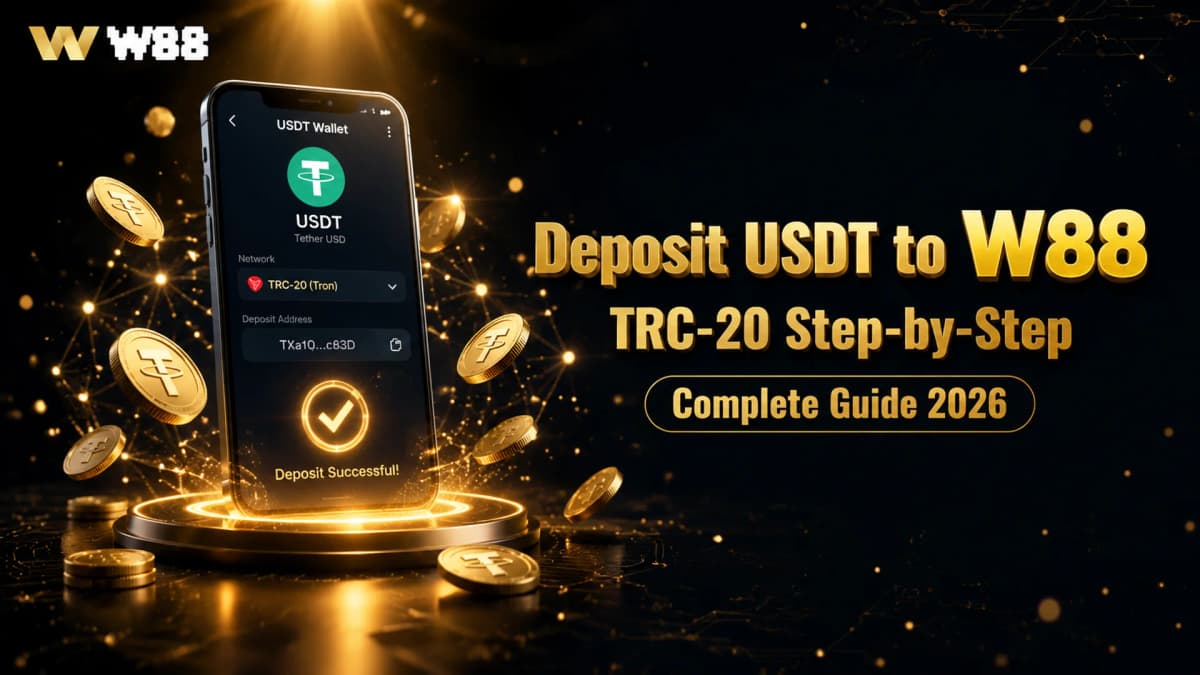
How to Deposit USDT (TRC-20) to W88 — Complete Guide 2026
Depositing USDT to your W88 account via the TRC-20 network is one of the fastest and most cost-efficient ways to fund your gaming wallet. Transactions settle in under two minutes, carry zero network fees on W88's end, and arrive directly in your USDT balance — ready to claim welcome bonuses and start playing immediately. This step-by-step guide covers everything from opening the deposit panel to troubleshooting the most common issues new depositors face.
Why Use TRC-20 for Your W88 USDT Deposit?
USDT exists on multiple blockchains, but TRC-20 — the TRON network — is the preferred option for W88 deposits for three clear reasons:
- Speed: TRON blocks confirm in roughly three seconds each. Most deposits are credited to your W88 wallet within one to two minutes of the transaction being broadcast to the network.
- Near-zero fees: Sending USDT via TRC-20 costs a small amount of TRX (TRON's native token) in gas — typically less than a cent. Compare this to ERC-20 transfers on Ethereum, where fees can spike to USD 10 or more during periods of network congestion.
- No W88 deposit fee: W88 does not charge a handling fee on TRC-20 USDT deposits. The amount you send is the amount that lands in your wallet.
ERC-20 and BEP-20 USDT versions are supported by many wallets, but sending to a TRC-20 address using the wrong network will result in lost funds that cannot be recovered. Always confirm the network before authorising any transaction.
What You Need Before You Start
Before opening the deposit panel, confirm you have the following ready:
- A registered W88 account with USDT as your account currency. If you have not yet signed up, the W88 USDT account registration guide walks you through every step.
- A TRC-20-compatible wallet with a positive USDT balance. Compatible wallets and exchanges include TronLink, Trust Wallet, Binance, OKX, Bybit, and most major platforms that support TRON network withdrawals.
- Minimum USDT 10 in the wallet you plan to send from, plus a small TRX balance (approximately one to two TRX) to cover the TRON gas fee.
- Completed account verification (recommended before first deposit). Verified accounts unlock the USDT 5 new member verification bonus and higher withdrawal limits. Verification takes two to three minutes with a valid ID.
Once your wallet is funded and your W88 account is active, you are ready to proceed.
Step 1 — Access the W88 Deposit Panel
Log in to your W88 account using the button in the site header. Once inside your account dashboard, navigate to Wallet and select Deposit. The deposit panel displays all available payment methods organised by category.
Important: never use a deposit address shared by a third party or found via an unofficial channel. The deposit address displayed in your authenticated W88 session is generated per-account and per-session. Using an address obtained elsewhere is a common fraud vector and could result in permanent loss of funds.
Step 2 — Select USDT (TRC-20) and Enter Your Amount
In the deposit panel, choose Cryptocurrency as the payment category, then select USDT. A network selector will appear — choose TRC-20. Do not select ERC-20 (Ethereum network) or BEP-20 (BNB Chain) unless those options are specifically shown for your region and account type.
Enter the amount you wish to deposit. The minimum accepted deposit is USDT 10. If you are a new member planning to maximise your first-deposit bonus, review the Slots 100% Welcome Bonus guide before choosing your deposit amount — the bonus caps at USDT 200 matched, so a deposit of USDT 200 is the optimal amount for full bonus eligibility.
Step 3 — Copy Your W88 USDT Deposit Address
After confirming the amount, W88 displays a unique USDT TRC-20 deposit address assigned to your account session. This address is a standard TRON wallet address — it starts with a capital T and is 34 characters in total length.
- Click the copy icon next to the address, or scan the QR code displayed alongside it if you are sending from a mobile wallet.
- Double-check the address after pasting. Verify at least the first six and last six characters match what is shown on screen. Paste into a plain-text editor first if your wallet has known paste-interception issues.
- The address is session-specific and may rotate between visits. Always generate a fresh address from your account panel at the time of deposit — do not reuse an address from a previous session without confirming it remains active.
Step 4 — Send USDT from Your Wallet or Exchange
Open your USDT wallet or exchange withdrawal panel and set up the transfer as follows:
- Select Send or Withdraw in your wallet application.
- Paste the W88 deposit address into the recipient or destination address field.
- Select TRC-20 as the network (labelled as TRON on some platforms).
- Enter the USDT amount you wish to send.
- Review the full transaction summary — confirm the network shows TRC-20 and the destination address matches the W88 address character for character.
- Confirm and authorise the transaction using your wallet's security method (PIN, 2FA, or biometric authentication).
Once a transaction is broadcast to the TRON network, it is irreversible. Funds sent to the wrong address or transmitted over the wrong network cannot be recovered by W88 or by you. Take the time to verify before confirming.
Step 5 — Wait for Blockchain Confirmation
TRON blocks confirm in approximately three seconds each. W88 typically credits USDT deposits after one to two on-chain confirmations, meaning your wallet balance should update within one to three minutes of the transaction being broadcast.
To track the transaction status in real time, copy the transaction ID (TXID) from your wallet's transaction history and paste it into a TRON block explorer — search for "Tronscan" in your browser to find the most widely used one. Your W88 account under Wallet > Transactions also shows a pending status that refreshes automatically once the deposit is confirmed.
If your balance has not updated after 15 minutes, contact W88 live chat and provide your TXID and the deposit address for manual review.
Troubleshooting Common USDT Deposit Issues
| Issue | Likely Cause | Recommended Action |
|---|---|---|
| Deposit not credited after 30 minutes | Wrong network used (ERC-20 or BEP-20 sent to a TRC-20 address) | Contact W88 live chat with your TXID — cross-network recovery may be possible but is not guaranteed |
| Deposit below minimum | Amount sent was under USDT 10 | Contact W88 live chat; below-minimum deposits may not auto-credit |
| "Invalid address" error in wallet | Address copied incorrectly (extra space, truncation, or wrong character) | Re-copy directly from your W88 deposit panel and retry |
| Transaction shows as pending on Tronscan for more than 10 minutes | Temporary TRON network congestion (rare) | Wait up to 20 minutes; TRON congestion clears quickly compared to Ethereum |
| Funds debited from exchange but not yet visible on Tronscan | Exchange batching outbound TRON withdrawals | Wait up to 30 minutes; major exchanges process TRON withdrawals in batches at set intervals |
Once USDT appears in your W88 wallet, your balance is ready to use across all product categories. New members should check the current USDT 3% weekly cashback offer, which rewards consistent depositors with up to USDT 500 back per week — one of the most straightforward recurring bonuses available at W88. Sports bettors can head to the Sports Betting section for SABA, BTI, and CMD markets, while slot players will find the full provider library under Slots.